


Software for label printing, barcodes and mobile processes
Our software series
Each series has its own page with technical data, variants, comparison and frequently asked questions. Prices and availability can be found in the shop.

Which software suits which application?
| Application | What matters | Suitable series |
|---|---|---|
| Designing and printing labels at the workstation | Designer, database connectivity, drivers for your printers | BarTender, Loftware NiceLabel |
| Label printing without your own server | Cloud subscription, design in the browser, licence by printer count or label volume | BarTender |
| Print screens for production and shipping | Input screens without programming, user permissions | Loftware NiceLabel (PowerForms), BarTender (from Automation) |
| Automatic printing from ERP and warehouse management | Interfaces, central templates, print log | Loftware NiceLabel (ControlCenter), BarTender (Automation), OPAL Labelmanagement™ |
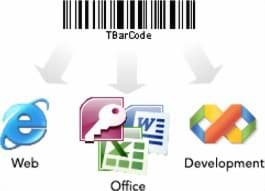
| Barcodes in ERP system forms | Printing via Windows driver without barcode fonts | TEC-IT barcode software |
| Barcodes in your own applications or Office | Symbologies, interfaces, redistribution licence | TEC-IT barcode software |
| Host applications on Android, iOS or Windows devices | 5250, 3270, VT emulation or web browser, screen modernisation | Ivanti Velocity |
The series compared
| Series | Purpose | Deployment | Licensing in the shop | Operating system | Integration |
|---|---|---|---|---|---|
| BarTender | Label software | Cloud or on-premises | Cloud subscription, printer-based or volume-based | Browser; on-premises Windows 10 and 11, Windows Server 2016 to 2025 | REST API, File Drop (Automation) |
| Loftware NiceLabel | Label software and label management | On-premises or Loftware Cloud | Licence by printer count, bundles for 5 users | Windows | Automation: file, serial, HTTP, TCP/IP |
| Ivanti Velocity | Terminal emulation and industrial browser | On the mobile device, distribution via store or MDM | Licence with 1, 3 or 5 years of maintenance or subscription | Android, iOS, Windows | 5250, 3270, VT, web hosts |
| TEC-IT barcode software | Barcode generation | On-premises | Variants 1D only or 1D and 2D; Office add-in single or site licence | Windows; Linux, UNIX, macOS via TBarCode/X | DLL, ActiveX, .NET, ERP system print path, Word and Excel |
The information summarises the series pages. Details, limitations and sources can be found there.
Source: manufacturer data sheets and product pages, as of October 2026. Subject to change; individual variants may differ. Prices and delivery times are available in the shop.
What to know before you buy
Label software or label management system?
Label software designs templates, connects them to data and prints at the workstation or via a print service. A label management system goes further: templates are stored centrally, changes go through versioning and approval, print jobs are logged, and data arrives automatically from ERP or warehouse management systems. At the manufacturers this roughly corresponds to BarTender Enterprise or the NiceLabel editions with Control Center (LMS Pro and LMS Enterprise). The step makes sense when several sites, many template variants or customer-specific label requirements come together. With OPAL Labelmanagement™ we offer our own solution for this, with printing directly from the ERP.
Understanding licensing models
Licences for label and barcode software are measured in different ways. Printer-based licences count the connected printers, volume-based licences the labels printed per month, workstation licences the installations or users, and site and enterprise licences apply to one site or an entire company. There is also the question of whether you acquire a licence with a maintenance contract or take out a subscription with a minimum term and notice period. For the subscriptions in our range, the shop or manufacturer information states that updates or support are included. Before buying, plan how many printers, sites and users you expect over the next few years and whether an upgrade to a larger edition is possible.
Printing from the ERP: printer languages, drivers, templates
There are three ways to print labels from the ERP system. First, the ERP system generates the label printer’s printer language directly; this is fast but ties the template to the printer model and resolution. Second, the ERP system prints via the Windows printer driver, and an extension such as the TEC-IT barcode DLL generates the barcodes without barcode fonts. Third, the ERP system supplies only data, and label software or a label management system inserts it into the template and prints. This approach separates data and layout and makes it easier to change printer models. Which option suits you depends on the ERP system, the number of templates and the printer fleet; we will clarify this with you as part of integration. Suitable printers can be found under label printers.
Terminal emulation and screen modernisation
Many warehouse and production applications run as text-based host applications with 5250, 3270 or VT screens. Terminal emulation brings them to mobile devices without having to redevelop the host application. According to the manufacturer, Ivanti Velocity runs on Android, iOS and Windows and can automatically reformat screens on the device, display menus as touch buttons and control keyboards per screen. For web-based applications, Velocity Web is available as an industrial browser. This allows the device change from Windows CE to Android or iOS to be separated from reworking the application. Devices for this can be found under mobile computers.
Validated environments
In regulated industries such as pharmaceuticals or medical technology, label changes must be traceable. Versioning, approval workflows, audit trails and electronic signatures are required. Seagull Scientific lists complete audit trails and extended permission management for BarTender Enterprise and names electronic signatures as a security feature. Loftware describes approval workflows with electronic signatures through re-authentication for Loftware Cloud, available with Microsoft sign-in. This does not make an environment validated: validation is carried out for the specific installation within your quality system.
Cloud or on-premises?
According to the manufacturers, cloud editions such as BarTender Cloud or Loftware Cloud run without local installation. For printing without a printer driver, Loftware names the Cloud Print API, and Seagull Scientific names direct cloud printing in BarTender Cloud Automation. On-premises installations run on Windows, usually need a SQL Server database for central management and remain within your own network. The deciding factors are resilience at the plant, data storage, network permissions and who installs updates. Hybrid forms are possible: according to the manufacturer, NiceLabel Automation runs on-premises and can receive data from Loftware Cloud via the Cloud Trigger API. We show how we implement such projects under digital solutions.
What OPAL adds
Frequently asked questions
Do I need label software if my ERP system can print itself?
Not necessarily. If barcodes on existing forms are sufficient, a barcode extension in the print path such as the TEC-IT barcode software is often enough. Label software makes sense if you manage many templates, changing customer requirements, RFID or several printer models.
What is the difference between a subscription and a licence with maintenance?
With a subscription, you use the software for an agreed term with a minimum term and notice period. With a licence and maintenance contract, you receive updates and support for the duration of maintenance, in the shop for example 1, 3 or 5 years for Ivanti Velocity. The manufacturer decides which form is offered; the series pages give the details.
Cloud or our own server: which suits us?
That depends on your IT strategy, the network connection of your sites and your resilience requirements. Cloud editions save installation and server operation, while on-premises installations remain within your own network. We will review both options with you.
Can we keep using our host application on new Android devices?
Yes, with terminal emulation. According to the manufacturer, Ivanti Velocity supports 5250, 3270 and VT hosts on Android, iOS and Windows and can reformat screens for touch operation. For distribution to many devices, Mobile Device Management is a suitable approach.
Do you support set-up and integration?
Yes. We support installation, configuration and connection to ERP, warehouse or host systems. See integration.