Loftware NiceLabel label software
Key facts
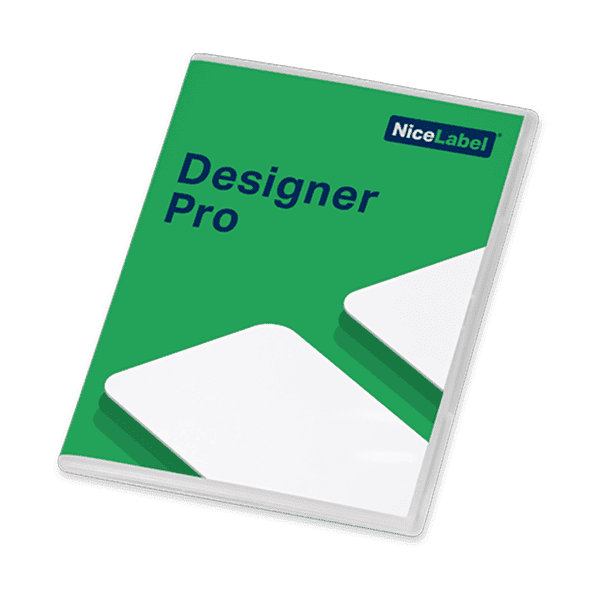
Loftware NiceLabel is the label software family from Loftware. The products build on one another: Designer Pro for design and printing with database connectivity, user management and RFID programming. PowerForms Suite adds the Application Builder for custom print screens as well as Automation Builder and Automation Manager at the Easy level. The ControlCenter bundles combine central template storage, print job management and traceability with NiceLabel Automation for integration with ERP and warehouse management systems. Designer Express has been discontinued in the shop; the shop names Designer Pro in the 3-printer version as its successor.
The shop items carry the versions NiceLabel 2019 and ControlCenter version 6. The newer generation is called Loftware NiceLabel 10 and, according to the manufacturer, is fully compatible with Windows 11 and Windows Server 2022; the manufacturer now assigns Control Center to the on-premises editions LMS Pro and LMS Enterprise. As a cloud solution, Loftware offers Loftware Cloud, with design in the browser without installation or licence keys and with unlimited users. We will clarify with you before you order which version and edition suits your environment.
- Workstations that design and print labels with database connectivity and RFID programming (Designer Pro)
- Print applications in production and shipping where staff only enter or select data (PowerForms Suite)
- Central template storage with print logging and reprinting without an ERP system (ControlCenter)
- Automatic printing from ERP and warehouse management systems via file, serial, HTTP or TCP/IP triggers (Automation)
- Environments that already use NiceLabel templates
- Getting started without your own Windows installation, with a cloud subscription directly from the shop: BarTender
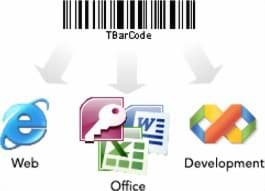
- Generating barcodes directly in your own applications or Office documents: TEC-IT barcode software
- Printing directly from the ERP as a complete solution supported by OPAL: OPAL Labelmanagement™
Detailed specifications
| Designer Pro | PowerForms Suite | ControlCenter Pro / Enterprise Bundle | |
|---|---|---|---|
| Use | Label design and printing | Design, printing and custom print applications | Central label management with integration |
| Version in the shop | NiceLabel 2019 | same as left | ControlCenter version 6 |
| Licensing model in the shop | Single user (1 user) or multi-user for 3, 5 or 10 printers | Multi-user for 3, 5 or 10 printers; add-on for 5 more printers | Multi-user for 5 users; Automation for an unlimited number of printers |
| Components | Label designer, integrated print module, NicePrintQueue for network printers | Label designer, on-demand printing, Application Builder, Automation Builder and Automation Manager (Easy) | Pro: ControlCenter Pro, PowerForms Desktop, Automation Pro; Enterprise: ControlCenter Enterprise, PowerForms Desktop, Automation Enterprise, PowerForms Web (5 named users) |
| Databases | Full database support incl. custom SQL queries | not specified | XML and SQL; Enterprise adds custom SQL queries and SQL reports |
| Barcodes and RFID | Common linear and 2D barcodes with check digit options; RFID tag programming | not specified | not specified |
| Integration | Command files, command line, ActiveX interface (Automation) | Automation Builder (Easy) | Triggers for file, serial (RS232), HTTP, TCP/IP, XML filters; Enterprise adds web service, XSLT, connectors for Oracle WMS/MSCA XML and SAP AII XML |
| Central management | User management, password protection for labels | not specified | Central storage for templates and graphics, print job management, reports, statistics, error alerts, traceability, reprinting without an ERP system |
| Approval and versioning | not specified | not specified | Enterprise: digital revision, versioning and approval of templates; Pro: not specified |
| Special features | Colour separation for GHS labels, duplex printing, print screen for touchscreens | Print applications without programming | Enterprise: PowerForms Web for centrally deployed print applications, also for business partners |
| Operating system NiceLabel 2019 (manufacturer) | Windows 8.1, Windows 10, Windows Server 2012 R2, 2016, 2019 (32 or 64-bit) | same as left | Server components: Windows Server editions only |
| System requirements NiceLabel 2019 (manufacturer) | x86 processor, min. 2 GB RAM, 1 GB disk space, .NET Framework 4.7.2 or later, display 1366 × 768 or higher | same as left | Server components: min. 4 GB RAM, 10 GB disk space, SQL Server 2008 to 2019 (Express supported), IIS 7 or later |
| Current manufacturer version | Loftware NiceLabel 10, compatible with Windows 11 and Windows Server 2022 (according to the manufacturer) | same as left | Same as left; Control Center now part of LMS Pro and LMS Enterprise |
| Printer drivers | NiceLabel printer drivers V5.1 or later recommended (manufacturer) | same as left | same as left |
| Maintenance in the shop | 1 or 3 years, by licence size | 1 or 3 years for 3, 5 or 10 printers | not specified |
Source: manufacturer data sheets and product pages, as of October 2026. Subject to change; individual variants may differ. Prices and delivery times are available in the shop.
Variants and accessories
| Shop item | Licence | Note |
|---|---|---|
| NiceLabel Designer Express | Single user (softkey) | Discontinued; successor according to the shop: Designer Pro (3 printers) |
| NiceLabel Designer Pro | Single user or 3, 5, 10 printers | Maintenance for 1 or 3 years as a separate item |
| NiceLabel PowerForms Suite | 3, 5 or 10 printers; add-on for 5 more printers | 30-day trial version according to the shop |
| NiceLabel ControlCenter Pro Bundle | 5 users; Automation Pro for unlimited printers | ControlCenter Pro, PowerForms Desktop, Automation Pro |
| NiceLabel ControlCenter Enterprise Bundle | 5 users; Automation Enterprise for unlimited printers; PowerForms Web for 5 named users | ControlCenter Enterprise, PowerForms Desktop, Automation Enterprise, PowerForms Web |
Add-ons
- Designer Pro software maintenance for 1 or 3 years (single user, 3, 5 or 10 printers)
- PowerForms Suite software maintenance for 1 or 3 years
- Add-on licence for 5 more printers (PowerForms Suite)
- Suitable printers: label printers
- Integration with ERP and warehouse management: integration
Loftware NiceLabel or BarTender?
| Loftware NiceLabel | BarTender | |
|---|---|---|
| Manufacturer | Loftware | Seagull Scientific |
| Deployment | On-premises on Windows or Loftware Cloud | On-premises on Windows or BarTender Cloud |
| Licences in the shop | On-premises licences by number of printers (3, 5 or 10) and bundles | Cloud subscriptions, printer-based or volume-based |
| Entry level | Designer Pro | Cloud Essentials or Starter on-premises |
| Form applications | PowerForms Suite with Application Builder | Print forms from the Automation edition |
| Central management | ControlCenter: template storage, print log, traceability | Enterprise: permissions, audit trail, logging |
| Interfaces | Automation: file, serial, HTTP, TCP/IP; Enterprise with web service | REST API and File Drop (Automation) |
Both programs cover the design, printing and central management of labels. The deciding factors are usually existing templates, the preferred licensing model and the type of integration. Loftware NiceLabel is the obvious choice if you already use NiceLabel templates, want to build print screens for production or take data from ERP and warehouse management via triggers. BarTender is a good fit if you want to start with a cloud subscription without your own installation. Go to BarTender
What OPAL adds
Frequently asked questions
Which NiceLabel edition do I need?
For design and printing at the workstation with database connectivity, Designer Pro is sufficient. If staff should only enter data via a simplified print screen, PowerForms Suite is the right fit. The ControlCenter bundles are designed for central template storage, print logging and automatic printing from ERP or warehouse management systems.
Is Designer Express still available?
Designer Express has been discontinued in the shop. The shop names Designer Pro in the 3-printer version as its successor. For existing Express installations, we will check the migration with you.
Does NiceLabel run on Windows 11?
According to the manufacturer, Loftware NiceLabel 10 is fully compatible with Windows 11 and Windows Server 2022. For NiceLabel 2019, the manufacturer lists Windows 8.1 and 10 as well as Windows Server 2012 R2, 2016 and 2019. Before you order, we will clarify with you which version you will receive.
How does data from the ERP get onto the label?
Via NiceLabel Automation. It responds to triggers such as files, serial data, HTTP or TCP/IP connections and maps the data to the label fields. Automation Enterprise also offers a web service and XSLT transformations. We set this up together with you, see integration.
How does Loftware Cloud differ from an on-premises installation?
According to the manufacturer, in Loftware Cloud you design in the browser without installation or licence keys. Only the cloud offers the Cloud Print API, which sends print jobs to cloud-connected printers without printer drivers, and the Cloud Trigger API. NiceLabel Automation, by contrast, runs on-premises and according to the manufacturer does not report its status to the cloud.
How is NiceLabel licensed?
In the shop, Designer Pro is available as a single-user licence or a multi-user licence for 3, 5 or 10 printers, PowerForms Suite for 3, 5 or 10 printers with an extension for 5 printers. The ControlCenter bundles are designed for 5 users, with Automation licensed for an unlimited number of printers. Software maintenance for 1 or 3 years is available as a separate item.
Data sheets and manufacturer information
The manufacturer provides data sheets, user guides and configuration guides on the product page. We are also happy to send you the documents directly.