


Wi-Fi infrastructure for warehouses, production and outdoor areas
Our Wi-Fi series
Each series has its own page with specifications, variants, comparison and frequently asked questions. You will find prices and availability in the shop. We describe planning, coverage and operation under Industrial networks.
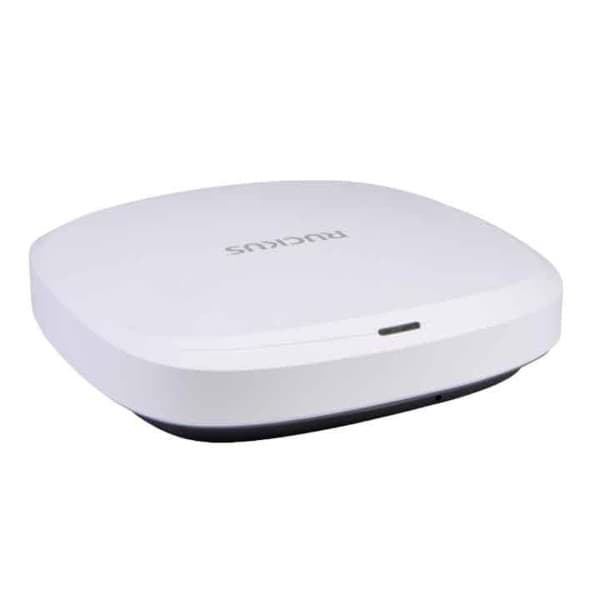
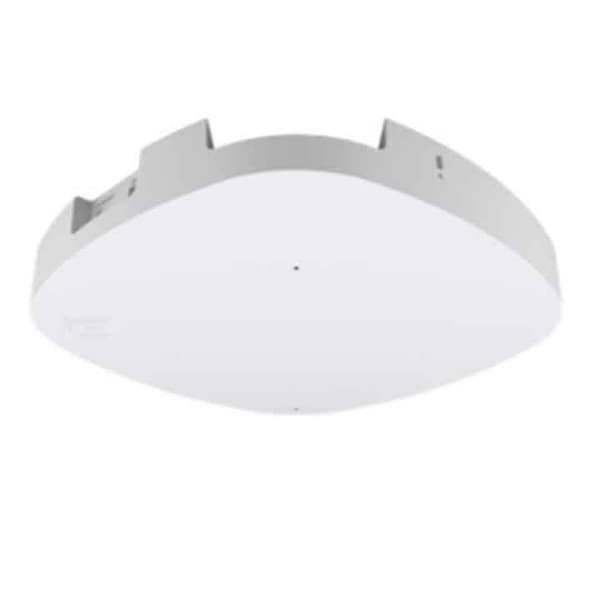
Which Wi-Fi hardware suits which application?
| Application | What matters | Suitable series |
|---|---|---|
| High-bay warehouse with many scanners | Dense coverage between the racks, fast roaming (802.11k, v, r), enough clients per access point | RUCKUS R650 / R670, Extreme AP4000 |
| Loading docks, yards and outdoor storage | Protection rating, temperature range, wall or pole mounting | RUCKUS T350d / T670 |
| New build or modernisation with Wi-Fi 7 | 6 GHz band, Multigigabit uplink, PoE to 802.3bt | RUCKUS R670 / T670, Extreme AP5020 |
| Existing PoE+ switches to 802.3at | Full functionality on 802.3at | RUCKUS R650, Extreme AP3000 / AP4000 |
| Several sites, cloud management | Central interface for access points and switches, subscription | Extreme Networks with ExtremeCloud IQ, RUCKUS One |
| Controller in your own data centre | Operation as an appliance or virtually, capacity per controller | RUCKUS SmartZone 144 / Virtual SmartZone, ExtremeCloud IQ Controller |
| Operation without a dedicated Wi-Fi team | Monitoring, updates and troubleshooting as a service | Managed services |
The series compared
| Series | Wi-Fi standards | Form factors | Fastest uplink | Management | PoE for full functionality |
|---|---|---|---|---|---|
| RUCKUS | Wi-Fi 6 (R550, R650, T350d), Wi-Fi 7 (R670, T670) | Indoor and outdoor (T670 rated IP67) | 5 GbE (R670, T670) | SmartZone 144, Virtual SmartZone, RUCKUS One, Unleashed | 802.3at (R650) to 802.3bt (R670, T670) |
| Extreme Networks | Wi-Fi 6E (AP3000, AP4000, AP5010), Wi-Fi 7 (AP4020, AP5020) | Indoor | 10 GbE (AP5020) | ExtremeCloud IQ (Navigator, Pilot, CoPilot), ExtremeCloud IQ Controller | 802.3at (AP3000, AP4000) to 802.3bt (AP5020) |
Data according to the manufacturer documents for the models named. We did not have complete datasheets for the AP5010 and AP4020.
Source: manufacturer data sheets and product pages, as of October 2026. Subject to change; individual variants may differ. Prices and delivery times are available in the shop.
What to know before you buy
Wi-Fi 6, 6E and 7: which bands?
Wi-Fi 6 (802.11ax) uses the 2.4 and 5 GHz bands, Wi-Fi 6E adds the 6 GHz band, and Wi-Fi 7 (802.11be) uses all three bands and, according to the manufacturer datasheet, channels up to 320 MHz in the 6 GHz band. 2.4 GHz has a long range but offers only a few non-overlapping channels and shares the band with Bluetooth and other radio sources. 5 GHz offers more channels with a shorter range. The 6 GHz band is less congested but is only available to devices with Wi-Fi 6E or 7, and channels depend on the country. What matters is which bands your mobile computers and scanners support.
Coverage in high-bay warehouses
Metal racking and stored goods attenuate and reflect radio signals, and the radio picture changes with the fill level. Access points therefore usually belong in the aisles rather than above the racks, and directional antennas can cover long aisles in a targeted way. An on-site measurement with realistic occupancy shows where gaps occur and how many access points are needed. We describe our approach under Industrial networks.
Roaming for scanners and mobile computers: 802.11k, v and r
A scanner constantly changes access point as its user walks through the warehouse. With 802.11k the device receives a list of neighbouring access points, with 802.11v the network can steer it to a more suitable access point, and 802.11r shortens re-authentication during the handover, which matters above all with 802.1X authentication. The device itself decides when to roam, so access points and device settings must match. According to the datasheet, the RUCKUS R650, R670 and T670 support all three standards.
Controller, virtual controller or cloud?
A hardware controller such as the RUCKUS SmartZone 144 sits in your data centre and, according to the manufacturer, manages up to 2,000 access points. A virtual controller such as the Virtual SmartZone runs on your own virtualisation platform. With cloud management, for example ExtremeCloud IQ or RUCKUS One, there is no controller hardware of your own; instead you pay a subscription and management requires an internet connection. Depending on the model, small sites can also do without a controller, for example with RUCKUS Unleashed. The deciding factors are the number of sites, IT staff and your requirements for data storage and cybersecurity.
Outdoor areas and loading docks
At loading docks, in yards and in outdoor storage, access points need a housing with a suitable protection rating and a wide temperature range. According to the datasheet, the RUCKUS T670 is rated IP67, operates from -40 °C to 65 °C and is mounted on a wall or pole. Metal roller doors shield radio signals, so the loading dock should be covered from inside and outside so that forklift terminals and scanners do not lose the connection when passing through. Cables in outdoor areas should be protected against surges.
PoE: power over the network cable
Access points usually draw their power from the switch via Power over Ethernet. 802.3af is only sufficient for a few models and with restrictions, 802.3at (PoE+) delivers up to 25.5 W at the device, and 802.3bt considerably more. According to the datasheets, the RUCKUS R650 needs 802.3at for full functionality, while the R670, T670 and Extreme AP5020 need 802.3bt; with weaker PoE they disable functions or reduce transmit power. Before upgrading, check the PoE budget of your switches and whether ports and cabling support Multigigabit uplinks of 2.5, 5 or 10 GbE.
What OPAL adds
Frequently asked questions
How many access points do I need?
That depends on floor area, racking layout, goods and the number of devices. Only coverage planning with on-site measurement provides a reliable figure. You can read how we proceed under Industrial networks.
Do I need Wi-Fi 7 if my scanners only support Wi-Fi 5 or 6?
Not necessarily. According to the datasheets, the RUCKUS access points also support older standards such as 802.11ac and 802.11n. Wi-Fi 7 is worthwhile above all for new installations with a long service life and when new devices are to use the 6 GHz band. For existing environments, Wi-Fi 6 or Wi-Fi 6E models are often sufficient.
Does Wi-Fi work in a freezer warehouse?
According to the datasheets, the R650, R670, AP3000, AP4000 and AP5020 indoor access points operate from 0 °C to 50 °C. For cold areas, models with an extended temperature range such as the RUCKUS T670 (-40 °C to 65 °C) are an option, or the access point is placed outside the cold zone. We check the right solution on site.
Can I mix RUCKUS and Extreme Networks?
Technically both use the same standards, but they are managed via different systems. Mixed networks mean two interfaces, two sets of rules and coordinated roaming settings. We usually recommend one manufacturer per site.
Who operates the Wi-Fi after installation?
Your IT team can take this on, or we can as a service, with monitoring, updates and troubleshooting. Find out more under Managed services. Security updates and access rules are essential here; see Cybersecurity.