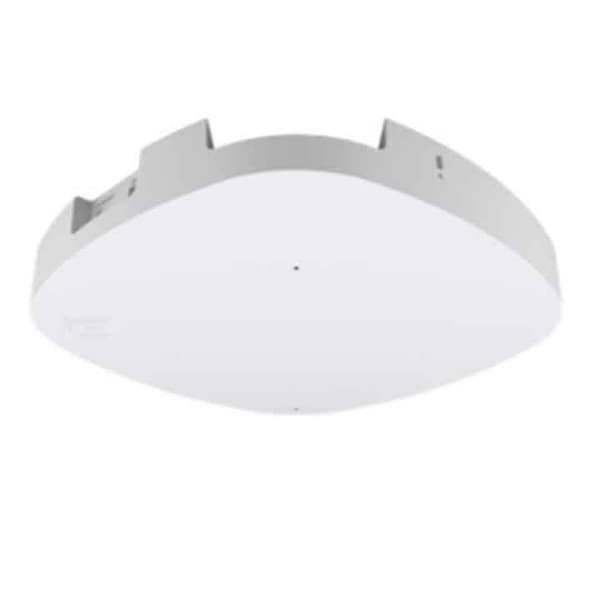
RUCKUS access points and SmartZone controllers
Key facts
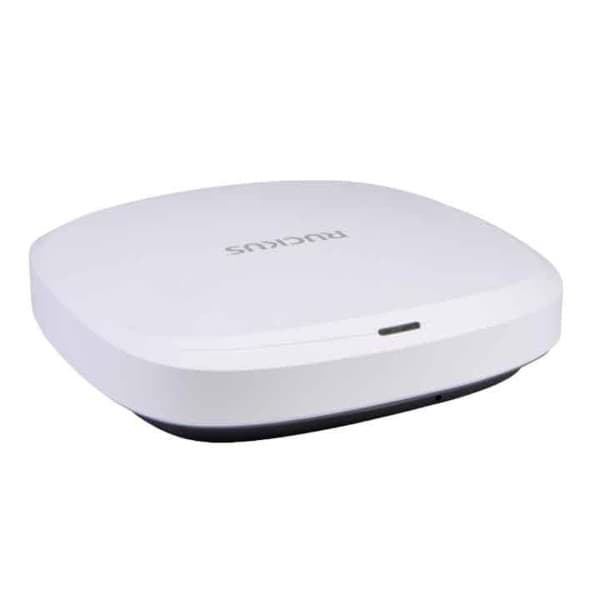
RUCKUS access points use BeamFlex+, adaptive antennas which, according to the manufacturer, select the antenna pattern for each data packet in real time. The range in the shop extends from the Wi-Fi 6 R550 with two Gigabit ports and the R650 with 4x4 radio in the 5 GHz band to the Wi-Fi 7 R670 with three radio bands. For outdoor areas and loading docks there is the T350d with Wi-Fi 6 and the T670 with Wi-Fi 7.
The models differ mainly in Wi-Fi standard, uplink speed and PoE requirement: the R650 runs with full functionality on 802.3at, while the R670 and T670 need 802.3bt. The access points are managed centrally via the SmartZone 144 hardware appliance, the Virtual SmartZone on your virtualisation platform or the RUCKUS One cloud platform. We describe planning, coverage and operation under Industrial networks.
- Warehouses and production with many scanners and mobile computers
- New installations with Wi-Fi 7 and the 6 GHz band (R670, T670)
- Loading docks, yards and outdoor storage (T350d, T670)
- Companies that want to run the wireless controller locally or virtually (SmartZone)
- Smaller sites without their own controller (Unleashed, depending on the model)
- Environments already standardised on ExtremeCloud IQ: Extreme Networks
- Existing PoE switches limited to 802.3at with a need for 6 GHz: according to the manufacturer the Extreme AP4000 runs with full functionality on 802.3at
- Management purely from the cloud with a selectable operating mode per access point: Extreme Networks universal APs
Detailed specifications
| R650 | R670 | T670 | |
|---|---|---|---|
| Form factor | Indoor | Indoor | Outdoor, IP67 |
| Wi-Fi standard | Wi-Fi 6 (802.11ax) | Wi-Fi 7 (802.11be) | same as left |
| Radio bands | 2.4 and 5 GHz concurrently | 2.4, 5 and 6 GHz concurrently; alternatively dual-band mode | same as left |
| Spatial streams | 5 GHz 4x4:4, 2.4 GHz 2x2:2 | 2x2:2 per band; in dual-band mode 5 GHz 4x4:4 | same as left |
| Max. data rate (PHY) | 2,400 Mbps (5 GHz), 574 Mbps (2.4 GHz) | 5,765 Mbps (6 GHz; 5 GHz with 4x4), 689 Mbps (2.4 GHz) | same as left |
| Channel widths | 20 to 160 MHz | 20 to 320 MHz (320 MHz in the 6 GHz band) | 20 to 320 MHz |
| Ethernet | 1 × 2.5 GbE, 1 × 1 GbE | 1 × 5 GbE (PoE), 1 × 1 GbE | same as left |
| PoE for full functionality | 802.3at, max. 21.59 W; limited on 802.3af | 802.3bt, 35 W; limited on 802.3at | 802.3bt, 33 W; limited on 802.3at |
| IoT radio | BLE and Zigbee | BLE or Zigbee, Matter and Thread capable | not specified |
| Clients per access point | up to 512 | up to 768 | same as left |
| Roaming | 802.11k, 802.11v, 802.11r | same as left | same as left |
| Security | WPA3, Dynamic PSK, OWE, WIPS/WIDS | WPA3-SAE, OWE, DPSK3, WIPS/WIDS, TPM 2.0, Secure Boot | same as left |
| Management | SmartZone, Unleashed, standalone, ZoneDirector, cloud | SmartZone, RUCKUS One, Unleashed | SmartZone, RUCKUS One; Unleashed with future software according to the manufacturer |
| Operating temperature | 0 °C to 50 °C, up to 95 % humidity, non-condensing | same as left | -40 °C to 65 °C, up to 95 % humidity, non-condensing |
| Dimensions and weight | 22.4 × 19.4 × 4.7 cm, 0.854 kg | 22 × 22 × 4.9 cm, 1.02 kg | 24.8 × 23.8 × 10.8 cm, 2.8 kg |
| Manufacturer warranty | limited lifetime | same as left | 1 year, limited |
Source: manufacturer data sheets and product pages, as of October 2026. Subject to change; individual variants may differ. Prices and delivery times are available in the shop.
Variants and accessories
| Model | Form factor | Radio or capacity according to the manufacturer | Ports |
|---|---|---|---|
| R550 | Indoor access point | Wi-Fi 6, 2.4 and 5 GHz each 2x2:2, up to 1,200 Mbps (5 GHz) and 574 Mbps (2.4 GHz) | 2 × 1 GbE |
| T350d | Outdoor access point, listed in the shop as omnidirectional (omni) | Wi-Fi 6, 2.4 and 5 GHz each 2x2:2, up to 1,200 Mbps (5 GHz) and 574 Mbps (2.4 GHz) | 1 × 1 GbE |
| R670 in the shop | Indoor access point, Standard or Unleashed version | see specifications | 1 × 5 GbE, 1 × 1 GbE |
| SmartZone 144 | Controller appliance | up to 2,000 access points and 40,000 clients, in a cluster up to 6,000 access points and 120,000 clients | 4 × 1 GbE, 4 × 10 GbE (SFP+) |
| Virtual SmartZone | Virtual controller (vSZ-E, vSZ-H) | vSZ-E up to 1,024 access points (cluster 3,000), vSZ-H up to 10,000 access points (cluster 30,000) | 1 or 3 virtual network interfaces |
Accessories
- RUCKUS PoE power supply 60 W, EU, Multigigabit
- RUCKUS PoE power supply 24 W, EU, Gigabit
- Secure bracket for indoor access points, sold separately (for the R670: 902-0120-0000)
- Wall or pole bracket included with the T670
- SmartZone licences; according to the shop, the SmartZone 144 includes 90 days of temporary licence access
RUCKUS or Extreme Networks?
| RUCKUS | Extreme Networks | |
|---|---|---|
| Access points in our range | R550, R650 (Wi-Fi 6), R670 (Wi-Fi 7) | AP3000, AP4000, AP5010 (Wi-Fi 6E), AP4020, AP5020 (Wi-Fi 7) |
| Outdoor models | T350d (Wi-Fi 6), T670 (Wi-Fi 7, IP67) | none in this range |
| Management | SmartZone 144, Virtual SmartZone, RUCKUS One, Unleashed | ExtremeCloud IQ (Navigator, Pilot, CoPilot), ExtremeCloud IQ Controller |
| Uplink | R650 2.5 GbE, R670 and T670 5 GbE | AP3000 and AP4000 2.5 GbE, AP5020 10 GbE |
| PoE for full functionality | R650 802.3at, R670 and T670 802.3bt | AP4000 802.3at, AP5020 802.3bt |
| Special feature according to the manufacturer | BeamFlex+ with adaptive antennas | Universal hardware, operation in the cloud or on the controller selectable |
Both manufacturers cover warehouses, production and offices with Wi-Fi 6 to Wi-Fi 7. RUCKUS fits if you need outdoor access points for loading docks and yards or want to run the controller yourself, as an appliance or virtually. Extreme Networks fits if you prefer management from the cloud or already use Extreme switches. The decision usually depends on the existing network, the tools your IT team uses and how you want to operate it. To Extreme Networks
What OPAL adds
Frequently asked questions
Do I need a controller?
Not necessarily. According to the datasheet, the R650 and R670 can be operated without a separate controller using Unleashed; for the T670 the manufacturer announces Unleashed for a future software release. For larger installations, the SmartZone 144, the Virtual SmartZone or the RUCKUS One cloud platform manage configuration and updates centrally.
Which PoE do the access points need?
The R650 runs with full functionality on 802.3at (PoE+); on 802.3af the second port, IoT radio and USB are disabled. The R670 and T670 need 802.3bt for full functionality. On 802.3at they reduce transmit power according to the datasheet, and USB is disabled on the R670 and the 1 GbE port on the T670. Check your switches before moving to Wi-Fi 7.
Do the access points support fast roaming for scanners?
Yes. According to the datasheet, the R650, R670 and T670 support 802.11k, 802.11v and 802.11r. Whether your scanners and mobile computers use these methods depends on the device and its configuration. We coordinate this with you during set-up; find out more under Mobile computers.
Is Wi-Fi 7 worthwhile in the warehouse yet?
According to the datasheet, the R670 and T670 use channels up to 320 MHz in the 6 GHz band and achieve higher data rates. Scanners need little bandwidth but benefit from the less congested 6 GHz band if they support it. For new installations with a long service life, this speaks for Wi-Fi 7; if your devices use Wi-Fi 5 or 6 on 2.4 and 5 GHz, the R650 is often sufficient.
Is the T670 suitable for loading docks and outdoor storage?
According to the datasheet, the T670 operates from -40 °C to 65 °C, is rated IP67 and withstands wind up to 165 mph (around 265 km/h). It is mounted on a wall or pole, and the bracket is included. We did not have the protection rating and temperature range for the T350d; we will provide them on request.
Which manufacturer warranty applies?
According to the datasheet, the R650 and R670 come with a limited lifetime warranty and the T670 with a one-year limited warranty. The terms are set by the manufacturer.
Data sheets and manufacturer information
The manufacturer provides data sheets, user guides and configuration guides on the product page. We are also happy to send you the documents directly.