Extreme Networks access points and ExtremeCloud IQ
Key facts
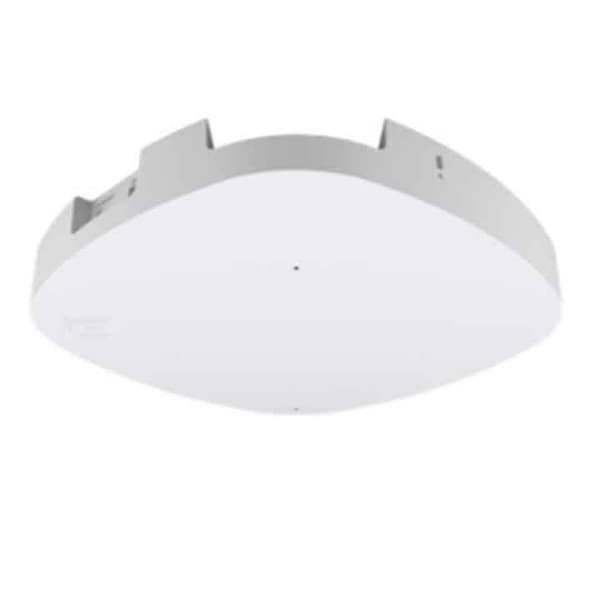
Extreme Networks builds its current access points as universal hardware: according to the manufacturer, the same device works either with ExtremeCloud IQ cloud management or with the on-premises ExtremeCloud IQ Controller. On first boot the access point retrieves its pre-assigned operating mode from ExtremeCloud IQ, and it can be changed later. All models in our range are indoor access points for warehouses, production and offices.
The models differ in Wi-Fi standard and performance. The AP3000 and AP4000 use Wi-Fi 6E and a 2.5 GbE uplink, the AP4000 with three radios for 2.4, 5 and 6 GHz. The AP5010 adds Wi-Fi 6E with 4x4 radio, while the AP4020 and AP5020 bring Wi-Fi 7, the AP5020 with 4x4 radio and 10 GbE uplink. We describe planning, coverage and operation under Industrial networks.
- Warehouses, production and offices with cloud management
- Companies that want to manage access points and switches in one interface
- Networks with existing PoE+ switches to 802.3at (AP3000, AP4000)
- New installations with 6 GHz or Wi-Fi 7 (AP4000, AP5020)
- IoT applications with Bluetooth LE, Thread or Zigbee
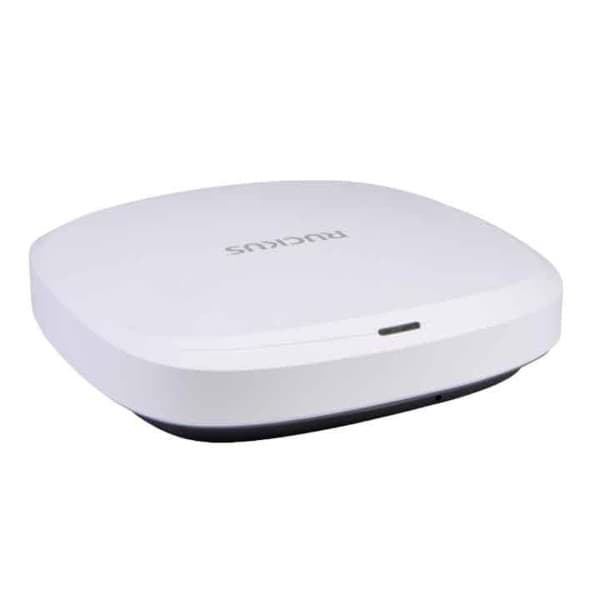
- Loading docks, yards and outdoor storage: the RUCKUS series offers outdoor models with the T350d and T670
- Existing RUCKUS installations with SmartZone controller: RUCKUS
- Planning and coverage before choosing hardware: Industrial networks
Detailed specifications
| AP3000 | AP4000 | AP5020 | |
|---|---|---|---|
| Wi-Fi standard | Wi-Fi 6E (802.11ax) | same as left | Wi-Fi 7 (802.11be) |
| Radios | 2 radios, each 2x2; according to the shop 2.4 and 5 GHz or 5 and 6 GHz | 3 radios, each 2x2:2, for 2.4, 5 and 6 GHz; alternatively 2 data radios plus sensor | 3 radios for 2.4, 5 and 6 GHz, 4x4:4 according to the shop; additional sensor antennas |
| Max. data rate | not specified | 6 GHz 2.4 Gbps, 5 GHz 1.2 Gbps, aggregate 3.9 Gbps | not specified |
| Channel widths | not specified | up to 160 MHz (6 GHz), up to 80 MHz (5 GHz) | not specified |
| Ethernet | ETH0 up to 2.5 GbE (PoE), ETH1 up to 1 GbE | same as left | ETH0 up to 10 GbE (PoE), ETH1 up to 5 GbE (PoE input or 802.3af PoE output) |
| Power supply | 802.3af without USB, 802.3at with full functionality; optional 12 V DC | 802.3at, max. 16.6 W with USB | 802.3at without PoE output and USB (max. 25.5 W); 802.3bt with all functions (max. 35 W); 12 V DC |
| IoT radio | Bluetooth 5.3 LE, Thread, Zigbee (IEEE 802.15.4) | Bluetooth 5.2 LE, Thread, IEEE 802.15.4 (not on the AP4000-1) | 2 IoT radios: Bluetooth 5.4 LE, Thread, Zigbee, IEEE 802.15.4 |
| Antennas | internal; according to the shop also available with external antennas | internal, omnidirectional | internal |
| Clients | not specified | 512 per radio, 1,536 in total | not specified |
| Security | not specified | WPA3, PPSK, stateful DPI firewall (L2 to L7), TPM, Kensington slot | TPM, Kensington slot |
| Management | ExtremeCloud IQ or ExtremeCloud IQ Controller | same as left, universal hardware with selectable operating mode | ExtremeCloud IQ or ExtremeCloud IQ Controller |
| Operating environment | 0 °C to 50 °C, 0 to 95 % humidity, non-condensing | same as left | same as left |
| Dimensions and weight | not specified | 205 × 205 × 37 mm, 0.85 kg | 258 × 258 × 41 mm, 1.62 kg |
| Mounting | AH-ACC-BKT-AX-TB bracket included | 15/16 inch ceiling bracket and wall mount included | T-bar bracket included (according to the shop) |
| USB | USB 2.0 Type A | same as left | same as left |
Source: manufacturer data sheets and product pages, as of October 2026. Subject to change; individual variants may differ. Prices and delivery times are available in the shop.
Variants and accessories
| Product | Type | Description according to the manufacturer or shop |
|---|---|---|
| AP5010 | Indoor access point | Wi-Fi 6E, three radios (tri radio), 4x4:4; variant selection in the shop |
| AP4020 | Indoor access point | Wi-Fi 7, four radios (quad radio), 2x2:2; antenna selection in the shop |
| AP3000 | Indoor access point | selectable in the shop with internal or external antennas |
| ExtremeCloud IQ Navigator | Cloud subscription | Management functions for third-party and non-cloud-native devices |
| ExtremeCloud IQ Pilot | Cloud subscription | Full ExtremeCloud IQ functionality, including Navigator as well as guest management, WIPS and location services; listed in the shop as a SaaS subscription with support for one device and one year |
| ExtremeCloud IQ CoPilot | Add-on to Pilot | Advanced anomaly detection for wired and wireless devices |
| Activation for ExtremeCloud IQ Controller | Licence | Activation for the on-premises ExtremeCloud IQ Controller |
Accessories
- Extreme Networks Indoor Single Port: PoE injector (midspan) to 802.3at
- Optional 12 V DC power supply, sold separately
- Brackets for ceiling rails, beams, junction boxes and Silhouette ceilings, some sold separately
- Extreme Networks console cable for the micro USB console port
Extreme Networks or RUCKUS?
| Extreme Networks | RUCKUS | |
|---|---|---|
| Access points in our range | AP3000, AP4000, AP5010 (Wi-Fi 6E), AP4020, AP5020 (Wi-Fi 7) | R550, R650 (Wi-Fi 6), R670 (Wi-Fi 7) |
| Outdoor models | none in this range | T350d (Wi-Fi 6), T670 (Wi-Fi 7, IP67) |
| Management | ExtremeCloud IQ (Navigator, Pilot, CoPilot), ExtremeCloud IQ Controller | SmartZone 144, Virtual SmartZone, RUCKUS One, Unleashed |
| Uplink | AP3000 and AP4000 2.5 GbE, AP5020 10 GbE | R650 2.5 GbE, R670 and T670 5 GbE |
| PoE for full functionality | AP4000 802.3at, AP5020 802.3bt | R650 802.3at, R670 and T670 802.3bt |
| Special feature according to the manufacturer | Universal hardware, operation in the cloud or on the controller selectable | BeamFlex+ with adaptive antennas |
Both manufacturers cover warehouses, production and offices with Wi-Fi 6 to Wi-Fi 7. Extreme Networks fits if you prefer cloud management, want to manage access points and switches together or want to keep the choice between cloud and on-premises controller open. RUCKUS fits if you need outdoor access points for loading docks and yards or want to run the controller as an appliance or virtually. The decision usually depends on the existing network and the tools your IT team uses. To RUCKUS
What OPAL adds
Frequently asked questions
What is the difference between Navigator, Pilot and CoPilot?
According to the manufacturer, Navigator provides management functions for third-party and non-cloud-native devices. Pilot unlocks the full functionality of ExtremeCloud IQ, including Navigator, guest management, WIPS and location services. CoPilot is an add-on to Pilot with advanced anomaly detection. In the shop, Pilot is listed as a SaaS subscription with support for one device and one year.
Cloud or on-premises controller?
According to the manufacturer, the universal access points work with ExtremeCloud IQ or with the on-premises ExtremeCloud IQ Controller, and the operating mode can be changed later. ExtremeCloud IQ is available as public cloud, private cloud or ExtremeCloud Edge. Which option fits depends on your requirements for data storage and operation; find out more under Cybersecurity.
Which PoE do the access points need?
The AP3000 runs on 802.3af without USB and on 802.3at with full functionality. The AP4000 is fully functional on 802.3at. The AP5020 runs on 802.3at without PoE output and USB and needs 802.3bt for all functions. Check your switches before moving to Wi-Fi 7.
When is the 6 GHz band worthwhile?
Only devices with Wi-Fi 6E or Wi-Fi 7 use the 6 GHz band. It is less congested than 2.4 and 5 GHz and offers wider channels, but according to the manufacturer the 6 GHz band and some channel options depend on the country. If your scanners still use 2.4 and 5 GHz, 6 GHz mainly benefits new devices and office applications.
Do the access points support fast roaming for scanners?
The datasheets we read for the AP3000, AP4000 and AP5020 do not explicitly mention 802.11k, 802.11v and 802.11r. We check roaming methods and settings with your devices during set-up. You can find more on scanners and mobile computers under Mobile computers.
Can the AP3000 work with external antennas?
Yes. In the shop the AP3000 can be selected with internal or external antennas, and the AP4020 also offers an antenna option. External antennas help direct coverage precisely, for example in halls with high racking. The coverage planning shows which antennas are suitable.
Data sheets and manufacturer information
The manufacturer provides data sheets, user guides and configuration guides on the product page. We are also happy to send you the documents directly.